
Est. 2026
Your disc golf game,
actually measured.
Your phone rides in your bag. Set the bag down at your lie and DiscPro marks the spot, measures the throw to wherever you set it down next, and keeps the score — without being asked.
Start tracking → Free · works offline · nothing to installNo tapping between shots
Most trackers make you stop and fiddle with a phone. That is the opposite of playing.
1
Survey a tee once
Set the phone down on the pad and wait. It tells you when the
reading is good enough to stop — usually well under a minute — instead
of running a timer you have to sit out. Every visit after that sharpens
the same spot on its own, and a tee measured across five rounds beats
any single reading.
2
Then just play
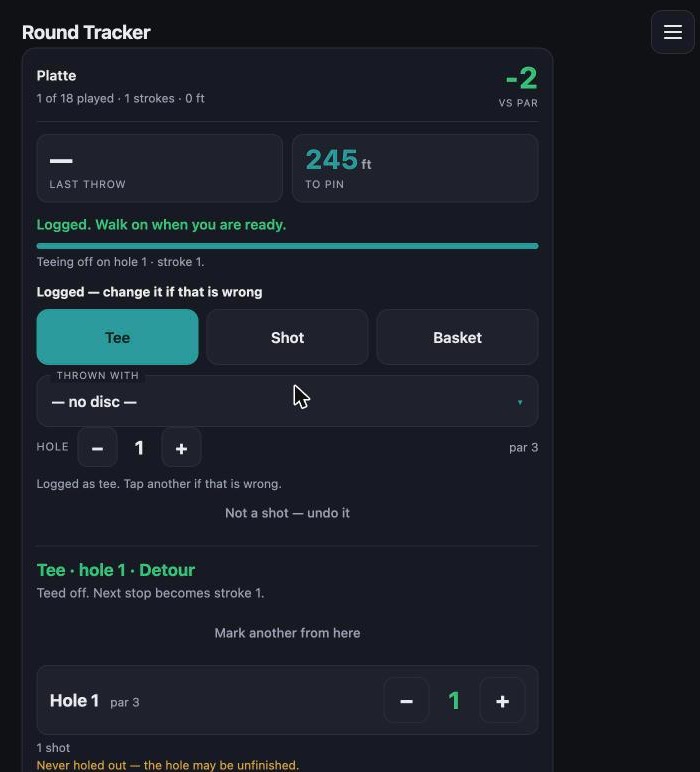
Set the bag down at your disc. DiscPro marks the spot, works out
whether it was a tee, a throw or the basket, measures the leg and moves
the scorecard on. A chime says it is done. It does not ask you
anything — the phone stays in the bag unless you want it.
3
Learn something true
Per-disc averages, real consistency, and which holes quietly cost
you strokes.
Know your bag
The same rule, applied to your discs: measured, not claimed.
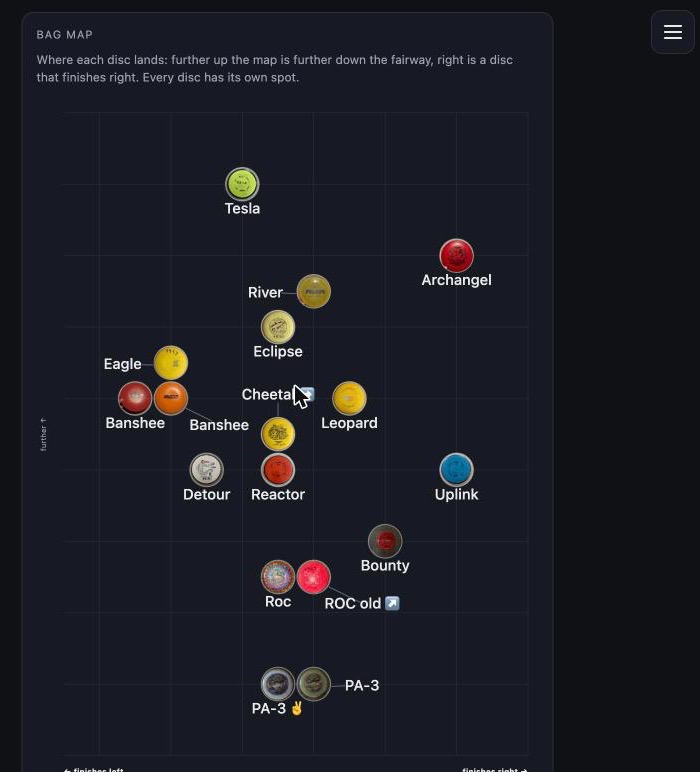
Your discs, plotted by how they actually fly. The bag map puts
every disc where its numbers put it — further up the map is further down the
fairway, right is a disc that finishes right. Each one shows its own photo, so
you are looking at your bag rather than a legend.
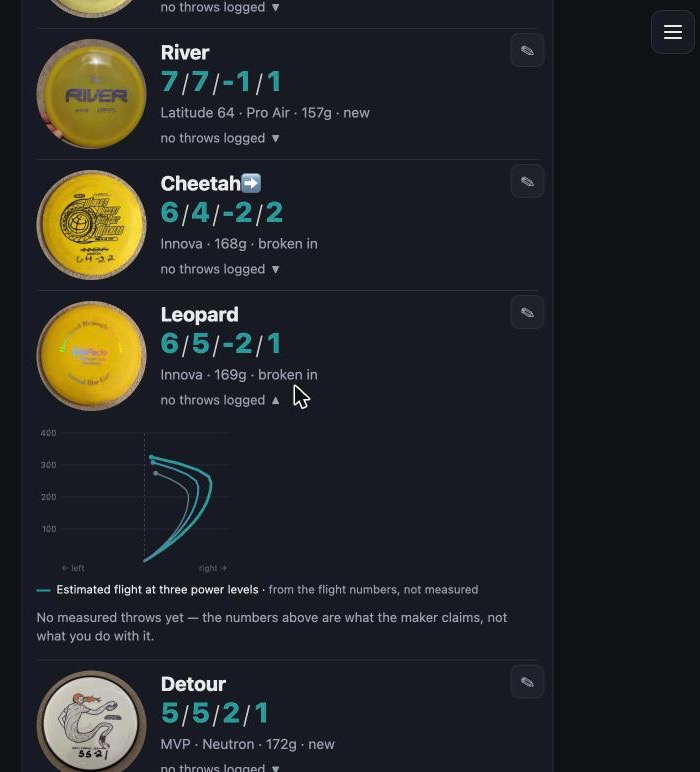
What the maker claims, beside what you do. Open a disc and you get its flight path and its measured average together. Flight numbers describe a shape, not a distance — a speed-12 driver in a slow hand goes shorter than a mid, and the app will tell you so.
Sort by what you actually threw. Standing on the tee the question is which disc goes 270 feet, not which disc has the biggest number printed on it. Sort by measured distance and the answer is the top of the list.
Fix a bad read. GPS misses sometimes. Open a finished round, correct the shot, and the disc's average follows the correction — because a measurement you cannot fix is one you learn to ignore.
What the maker claims, beside what you do. Open a disc and you get its flight path and its measured average together. Flight numbers describe a shape, not a distance — a speed-12 driver in a slow hand goes shorter than a mid, and the app will tell you so.
Sort by what you actually threw. Standing on the tee the question is which disc goes 270 feet, not which disc has the biggest number printed on it. Sort by measured distance and the answer is the top of the list.
Fix a bad read. GPS misses sometimes. Open a finished round, correct the shot, and the disc's average follows the correction — because a measurement you cannot fix is one you learn to ignore.
What it looks like
Three screens from the running app, on a real bag.
“Because it's wild out there.”
Before you head out
It works offline. Everything lives on your phone, so a
course with no bars is fine. Only the satellite map needs a signal.
Back it up. Your phone is the only copy until you export one — there is a Back up now button in My bag.
Add it to your home screen. Share → Add to Home Screen, and it opens full-screen like an app.
Let it see where you are. Allow location, and switch on Precise Location — without it the readings are useless.
Back it up. Your phone is the only copy until you export one — there is a Back up now button in My bag.
Add it to your home screen. Share → Add to Home Screen, and it opens full-screen like an app.
Let it see where you are. Allow location, and switch on Precise Location — without it the readings are useless.